Built for haunted attractions

Your entire operating night, wired into one living system.

HauntControl connects auditions, onboarding, calendars, staffing, room assignments, ticket sales, virtual queues, live displays, messaging, and end-of-night reporting. Change the right record once, and the rest of the night knows what happened.

One platformStaffing, sales, queue, displays, admin
Role awareOwners, managers, actors, and operators
Haunt awareSeparate locations, shared ownership controls
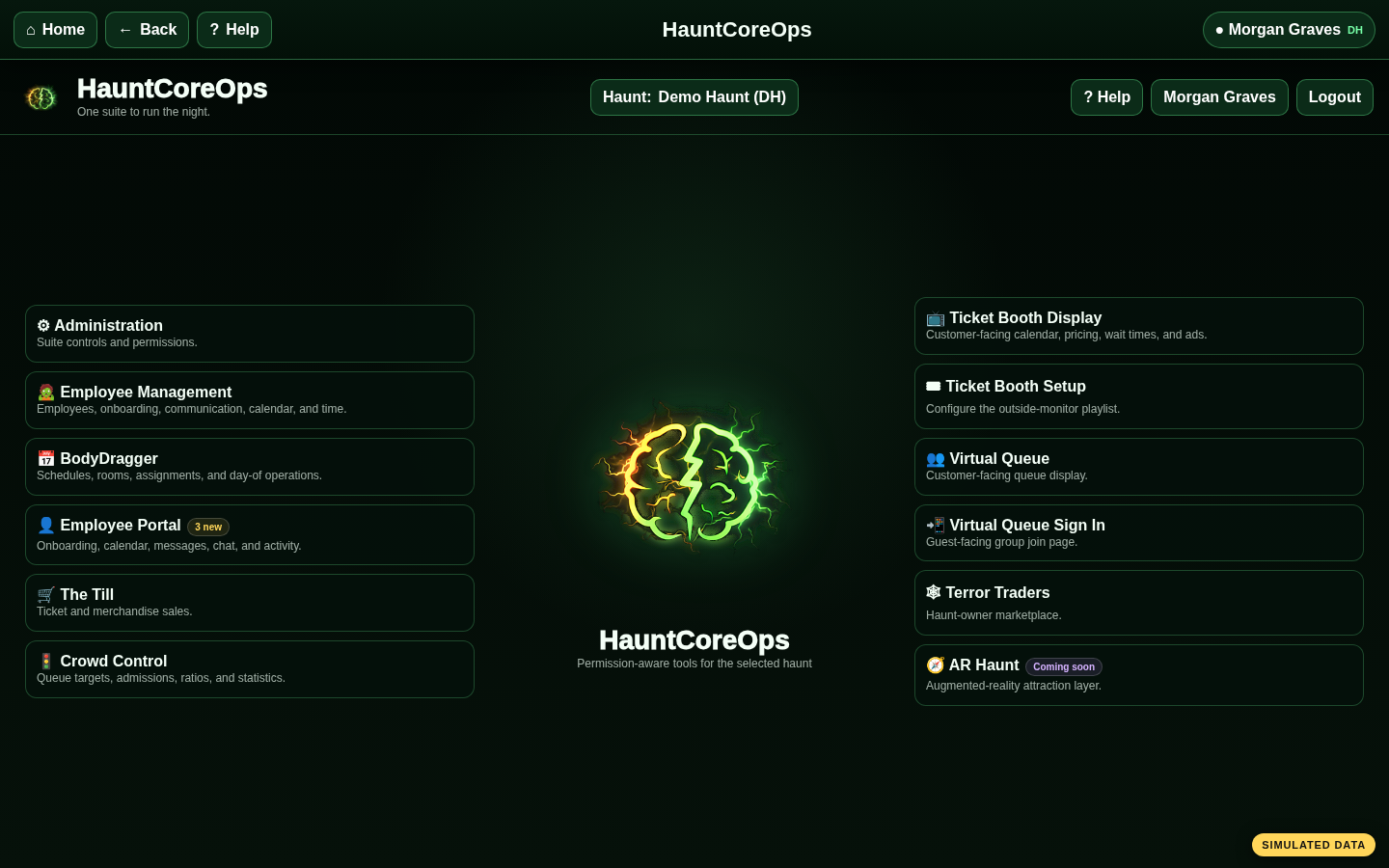
HauntCoreOps
HauntCoreOps operations dashboard
Live staffingAvailability → rooms → check-in
Guest flowSale → VQ → dispatch
What’s new

The newest tools keep the front gate moving, even when the internet vanishes into the fog.

The latest HauntCoreOps release adds a hybrid Emergency Offline Mode while continuing the broader 2026 rebuild of staffing, onboarding, navigation, and mobile operations.

Emergency continuity

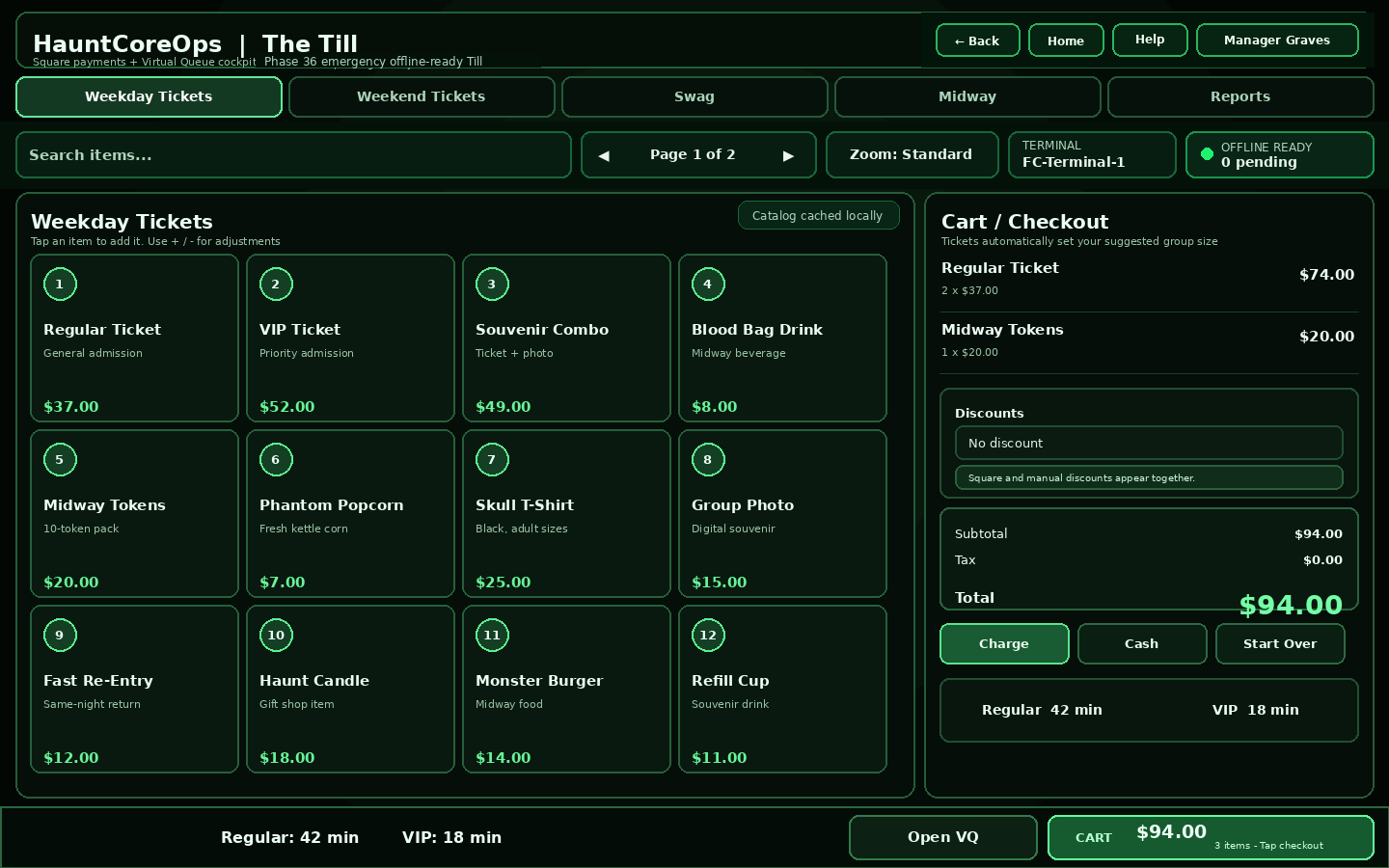
The Till now keeps working offline.

Registers cache the Till shell, settings, discounts, catalog, and product images. Cash sales, card handoffs, and new Virtual Queue signups can be held safely and synchronized after connectivity returns.

  • Local, duplicate-resistant sale records
  • Standalone Square offline card handoff
  • Offline Center for sync and reconciliation
The Till with Emergency Offline status and connected checkout controls

Complete employee onboarding

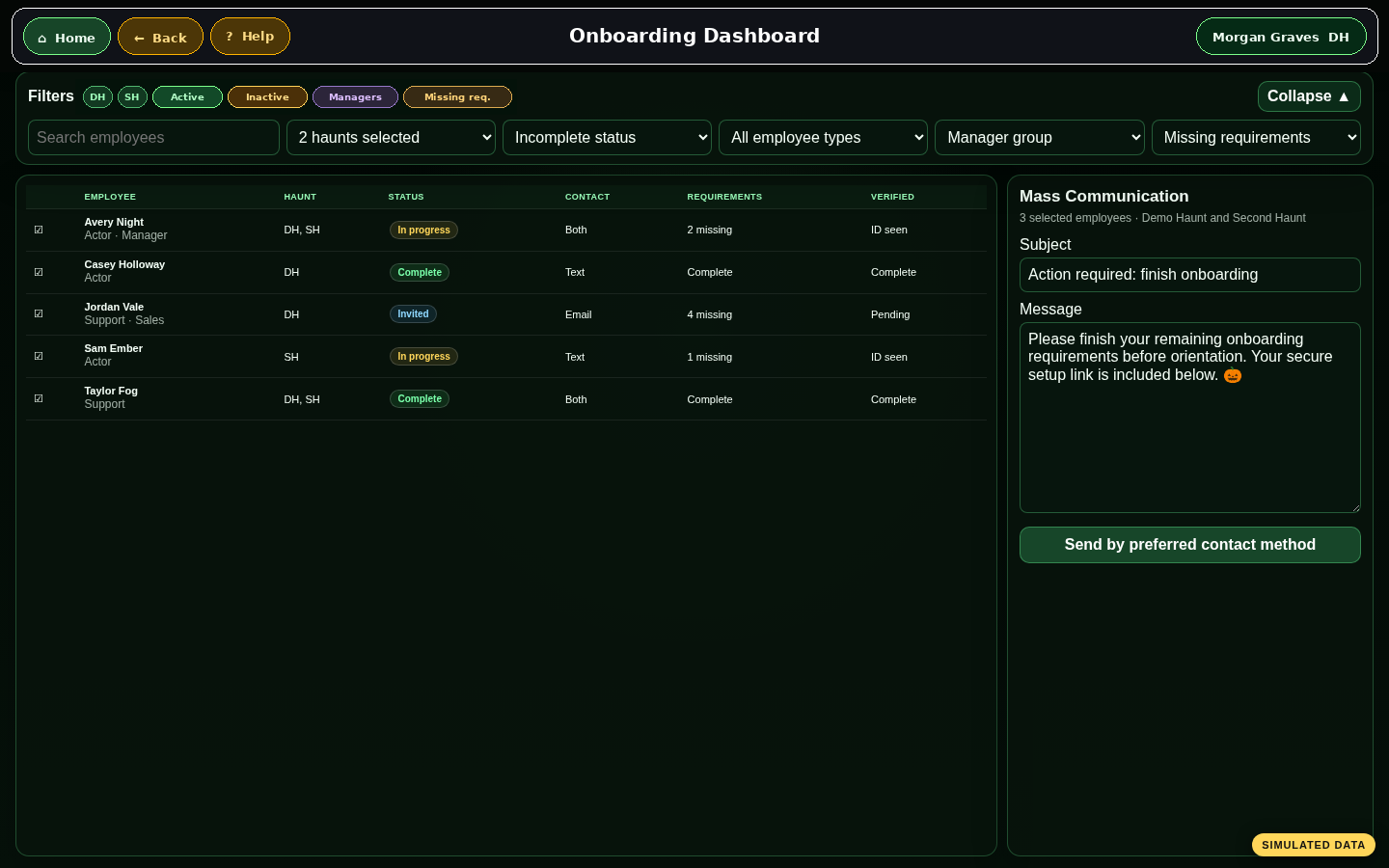
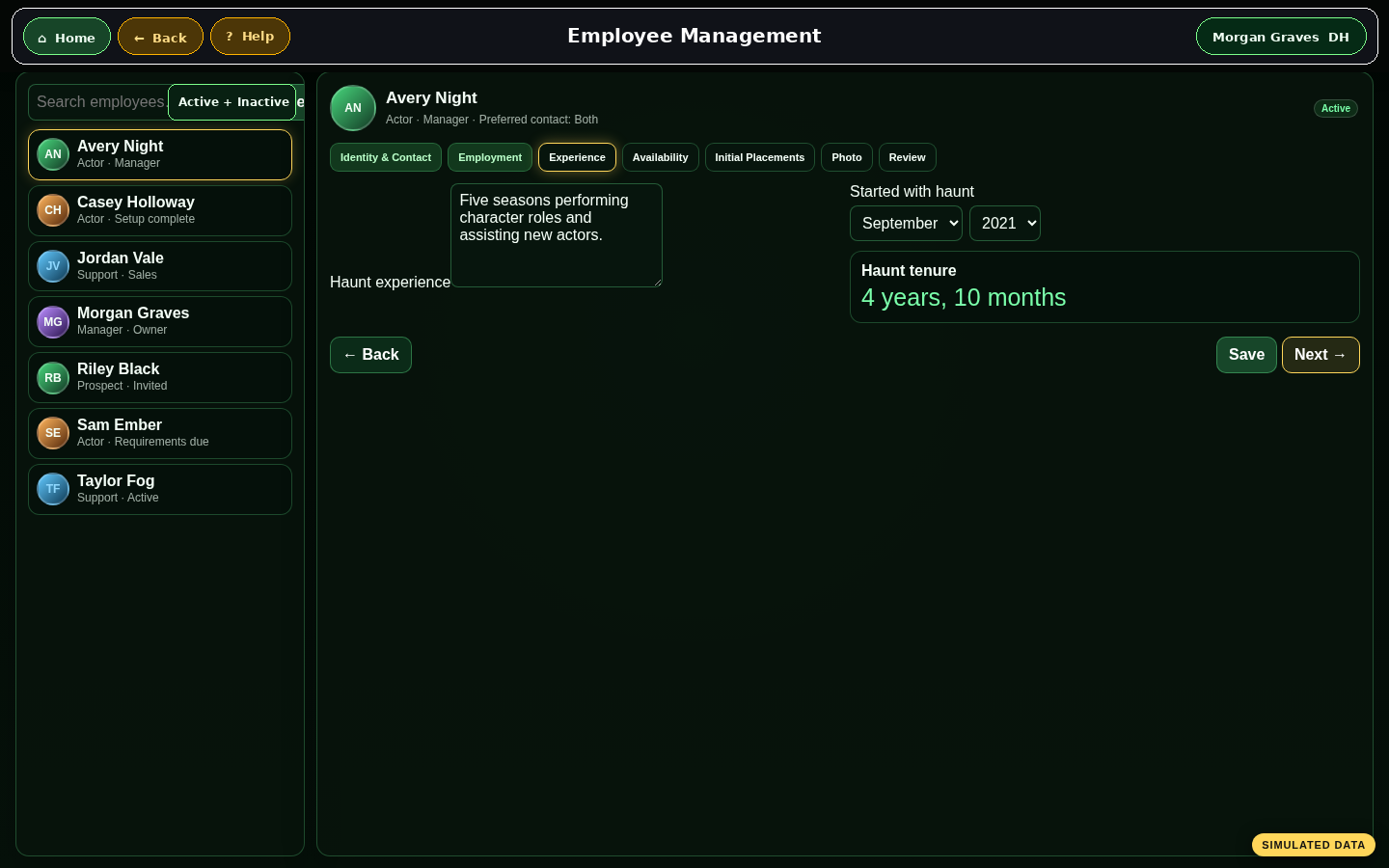
Auditions, contact preferences, forms, requirements, availability, photos, room preferences, and communication now live in one guided path.

Named multi-terminal sales

Each physical Square Terminal can have a matching common name, which makes busy-night routing and offline reconciliation clearer.

Midway sales and mobile refinements

Sell tokens, food, tickets, and merchandise while responsive layouts preserve more product space on desktop and mobile screens.

Connected by design

HauntControl does not collect isolated little islands of data.

It builds operational chains. One decision upstream becomes useful context everywhere downstream, without another clipboard, duplicated spreadsheet, or emergency group text.

01

Operating-night cascade

Mark a date as an operating night and the schedule becomes the spine for staffing and day-of-show work.

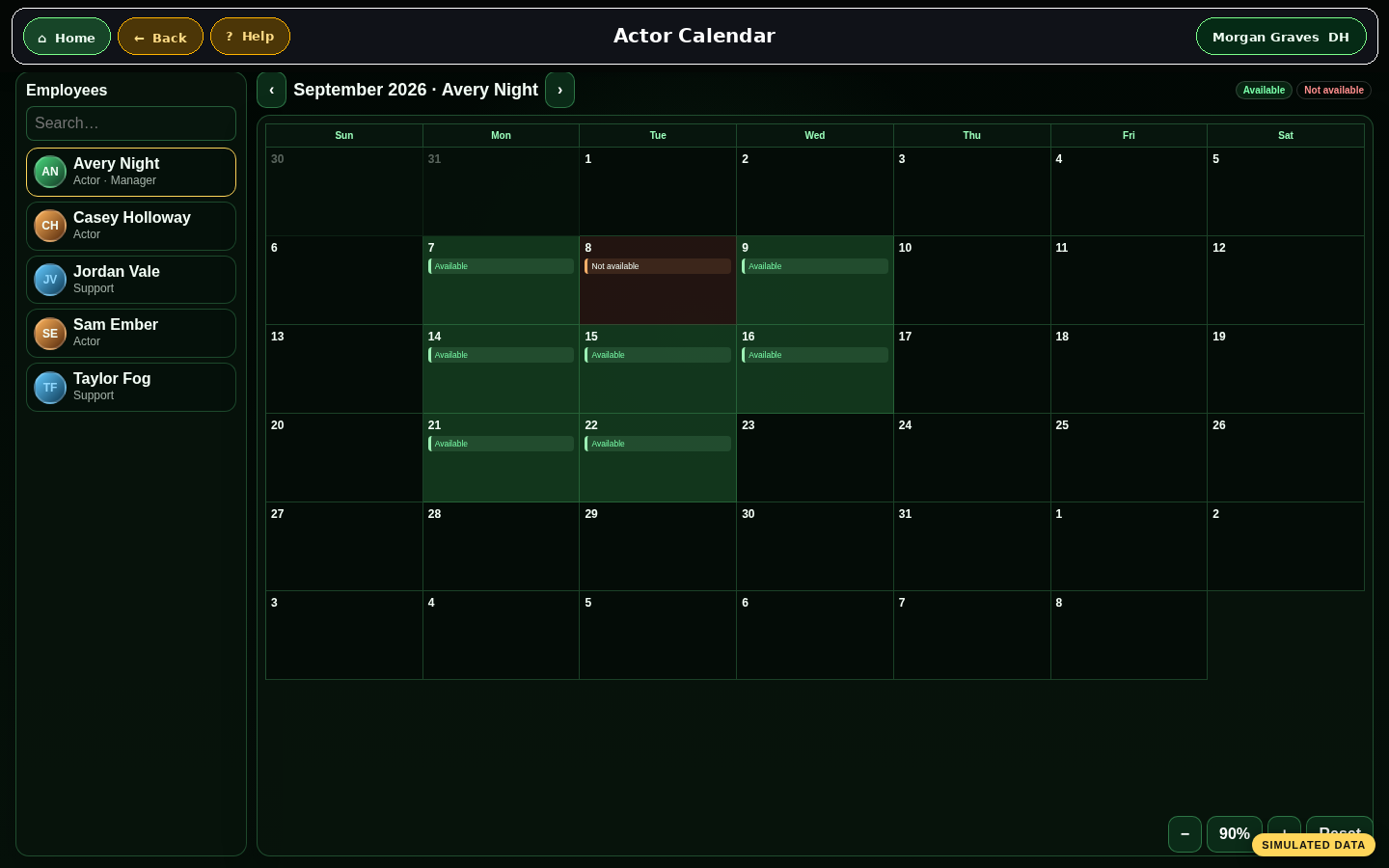
CalendarSet the date, event type, opening time, and closing time.
Employee calendarsThe night appears where employees can see events and record availability.
Room planningInitial placements and availability give schedulers a real starting point.
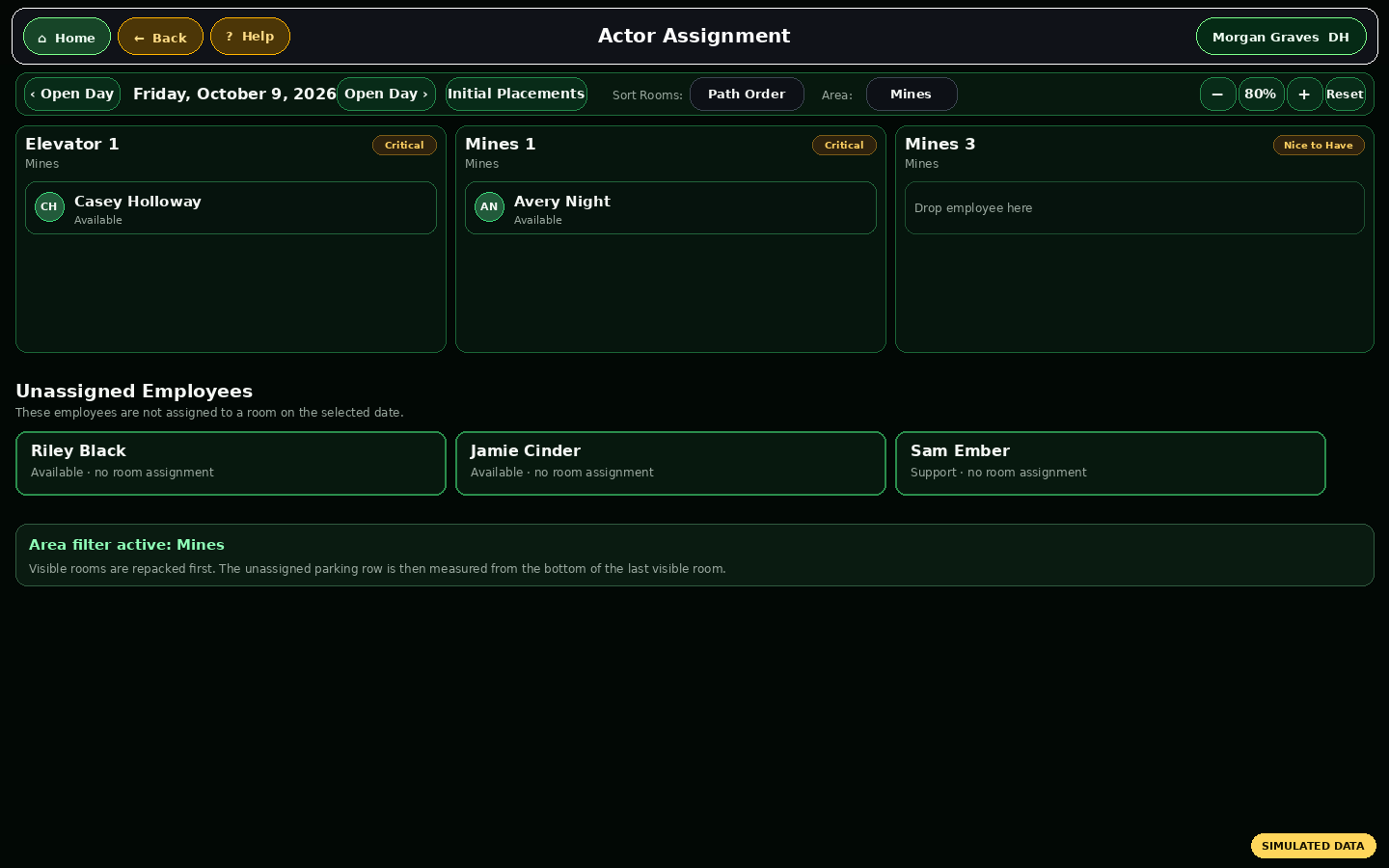
BodyDraggerManagers assign available people to the rooms that need them most.
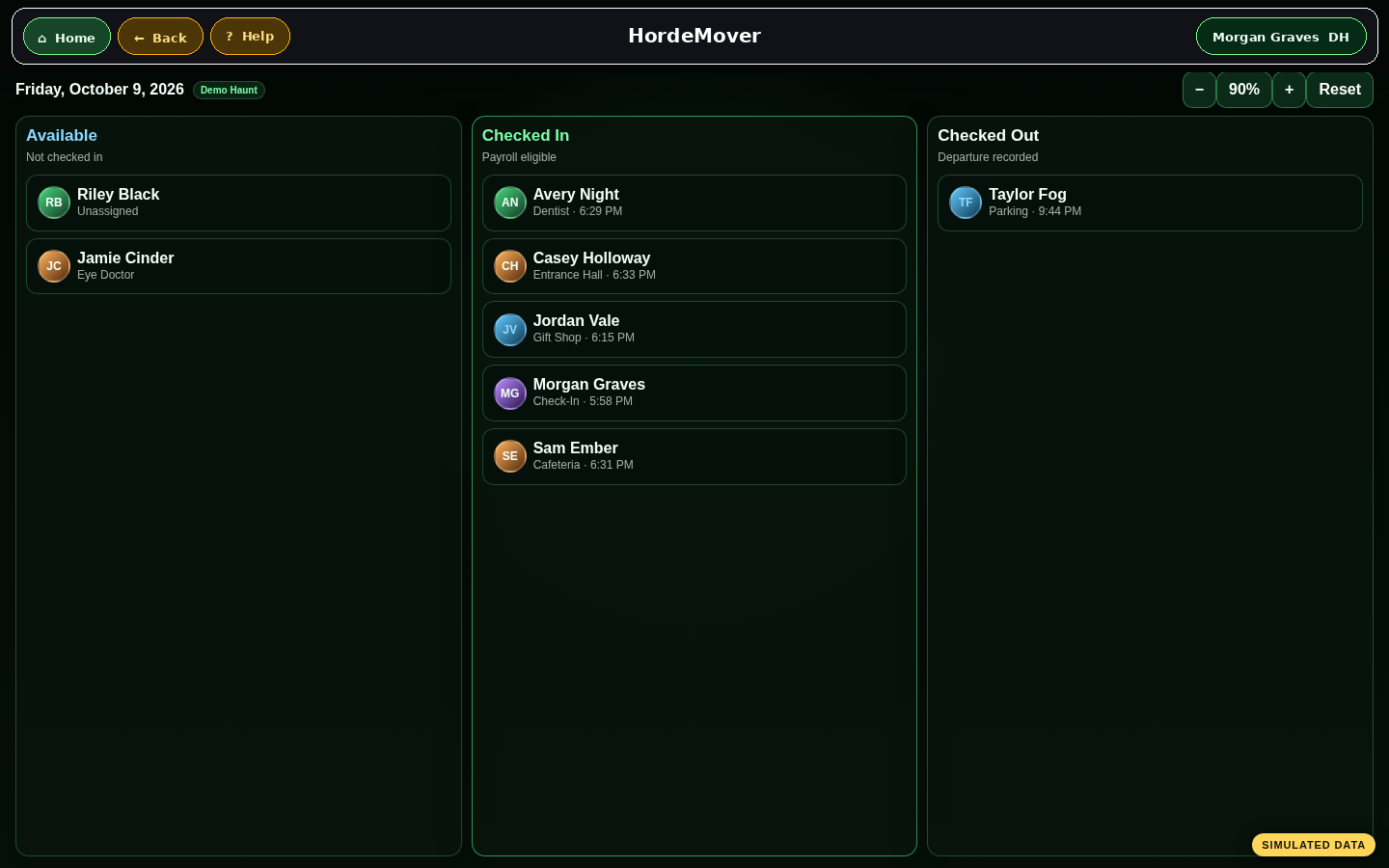
HordeMoverCheck-in and checkout turn the plan into live attendance and time records.
Public calendarsStaffing coveragePaid-time rulesEnd-of-night history
02

New employee journey

A person can travel from audition table to final checkout without being re-entered into disconnected systems.

1Audition / employee recordIdentity, phone, email, preferred communication, haunt membership
2OnboardingRequirements, forms, key dates, invitations, completion status
3PreferencesRoom choices, experience, availability, profile photo
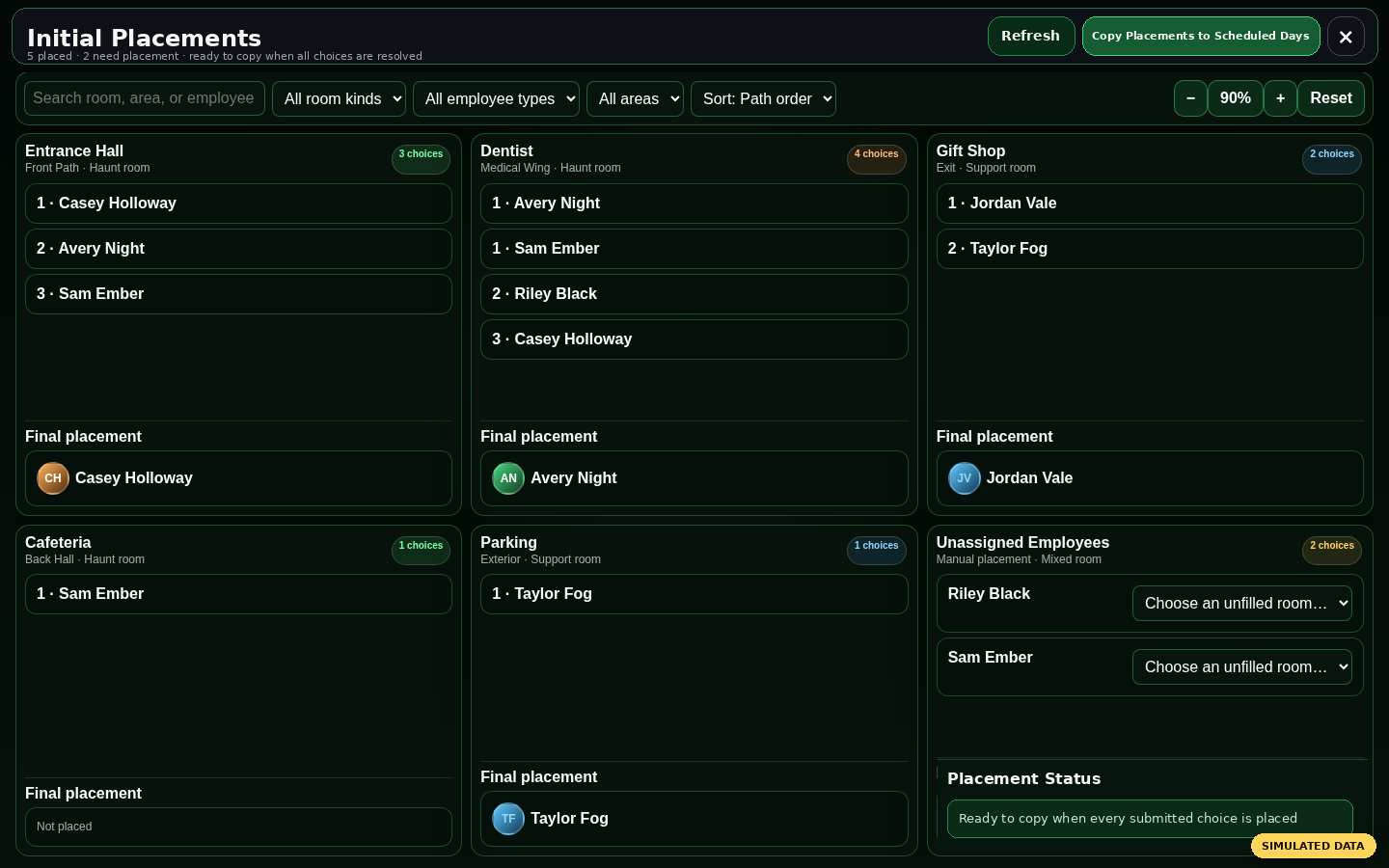
4Initial placementManagers turn preferences into a season starting room
5Nightly assignmentAvailability and room priorities guide the final schedule
6Check-in to checkoutStatus, attendance, time, and activity remain connected to the same person
03

Guest journey from sale to scream

Front-of-house modules share the operational context needed to sell, queue, display, and dispatch guests.

$The TillTickets, Midway, merchandise, discounts, Square, cash
#Virtual Queue signupCreate a group or merge a purchase into an existing group
Wait calculationRegular and VIP flow stay visible to staff and guests
DisplaysTicket booth and queue screens communicate the live state
Dispatch and reportsAdmit groups, preserve history, and review the night
The platform

One haunted control room for the whole organization.

BodyDragger actor room assignment screen View screenshot
01

Scheduling & staffing

Event calendars, availability, room priorities, initial placements, drag-and-drop assignments, and live check-in.

Employee onboarding dashboard View screenshot
02

Employee operations

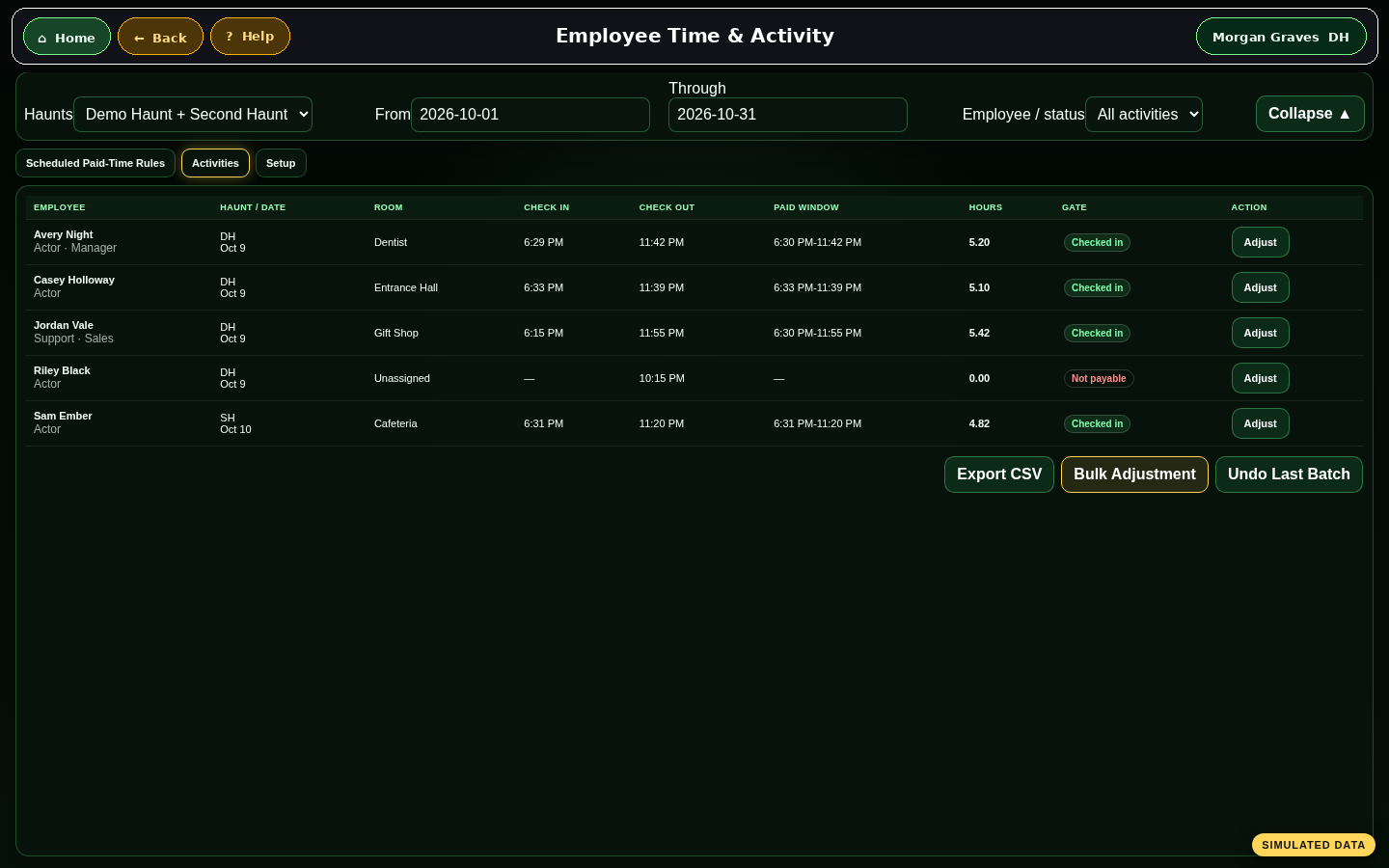
Onboarding, requirements, communications, photos, permissions, calendars, time, activity, and history.

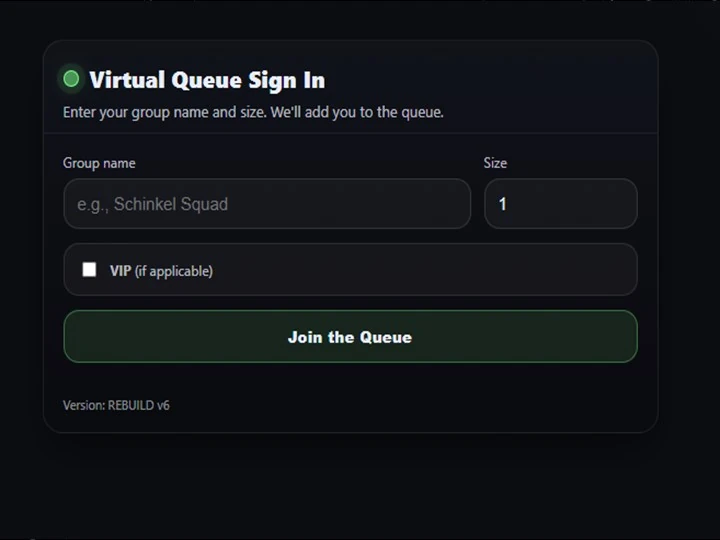
Virtual Queue guest signup screen View screenshot
03

Virtual Queue

Guest signup, VIP/Regular flow, SMS communication, wait estimates, live dispatch, displays, and statistics.

HauntCoreOps Till sales screen View screenshot
04

Sales & front gate

The Till, Square Terminals, cash, discounts, Midway sales, VQ handoff, offline continuity, and sales reports.

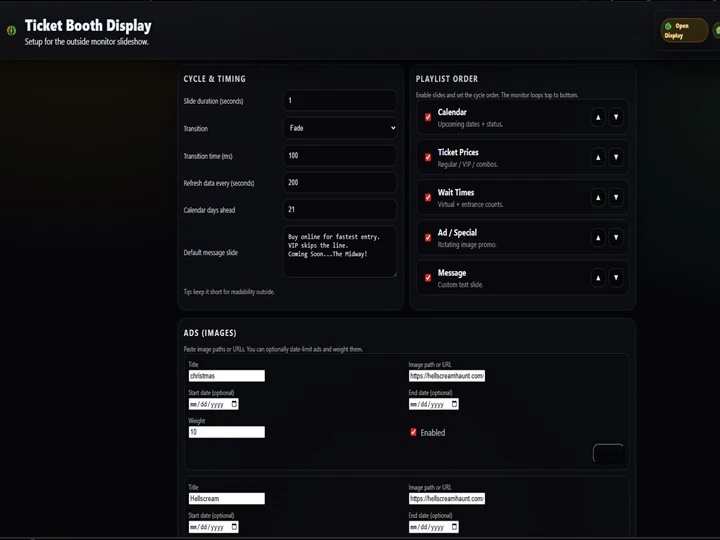
Ticket Booth Display setup screen View screenshot
05

Displays & messaging

Ticket booth slides, queue displays, employee inbox, announcements, and haunt-specific communication.

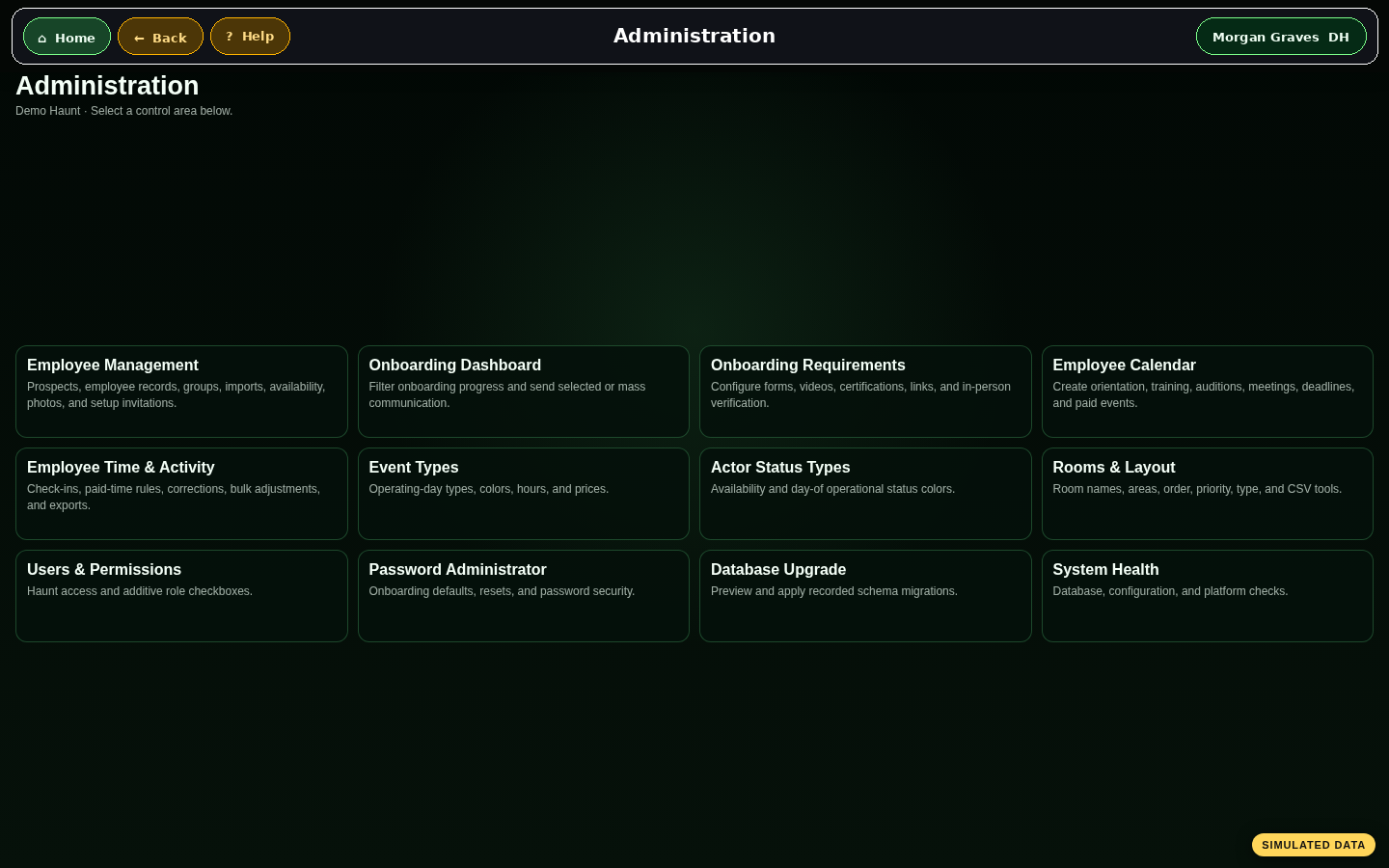
HauntCoreOps administration dashboard View screenshot
06

Administration

Role-based permissions, rooms, event types, setup, migrations, health checks, and multi-haunt ownership boundaries.

Real screens

Software that has already survived the fluorescent lights of an actual ticket booth.

These are working HauntCoreOps modules, not misty concept art.

Bring the night together

Replace the clipboard circus with one connected operating system.

We can walk through the modules that fit your attraction, staffing model, ticket operation, and guest-flow plan.